The Challenge
Manually adding students to email lists, tracking enrollments in spreadsheets, sending welcome emails one by one — it all takes hours every week. And things still slip through the cracks. You became a teacher, not a data-entry clerk.
What Becomes Possible
Here's how this integration transforms your workflow and student experience.
Instant email list updates
When a student signs up, they're automatically added to your ConvertKit, Mailchimp, or other email platform with the right tags.
Real-time notifications
Get a Slack ping, text message, or email whenever someone enrolls — celebrate every sale!
Automated follow-up
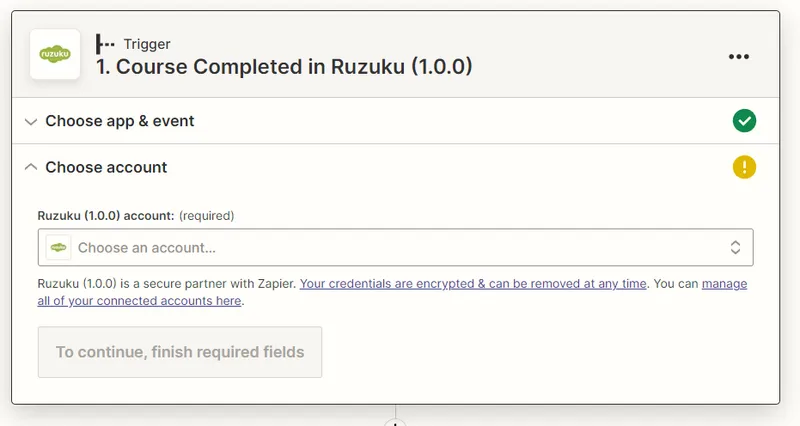
Send a congratulations email from Gmail when a student completes all the lessons — or request a testimonial at the perfect moment.
Effortless revenue tracking
Log every course payment to a Google Spreadsheet automatically, so you can track revenue without manual data entry.
Popular Automation Recipes
Here's what course creators automate most with Zapier + Ruzuku.
Automatically add new students to your email marketing platform with the right tags.
Trigger a personalized email when students finish, with next steps or upsell opportunities.
Keep a running log of all course purchases for easy tracking and accounting.
Automatically create or update contacts in your CRM with course and enrollment info.
Celebrate every sale with a notification in your team's Slack channel.
Automatically ask happy graduates for a testimonial at the perfect moment.
Real-World Examples
Here's how course creators like you actually use this integration.
Email Welcome Sequence
Add a student's email address to your ConvertKit or Mailchimp list automatically after they sign up for a course.
Completion Congratulations
Send a personalized congratulations email from your Gmail account after a student completes all the lessons.
Revenue Tracking
Add each payment in a course to a Google Spreadsheet, so you can track your revenue easily without manual entry.
CRM Updates
Create or update contacts in HubSpot, Salesforce, or your CRM whenever students enroll or complete courses.
Key Capabilities
Common Questions About Zapier
What Ruzuku events can trigger a Zapier automation?
Ruzuku supports seven triggers: student enrolled, lesson completed, course completed, quiz submitted, assignment submitted, comment posted, and subscription canceled. (For payment-specific triggers, you can connect your Stripe or PayPal account directly in Zapier.)
Do I need coding skills to use Zapier with Ruzuku?
Not at all. Zapier uses a visual workflow builder — you pick a trigger (like "new enrollment") and an action (like "add to ConvertKit"), then map the fields. Most automations take just a few minutes to set up.
Which email platforms work with Ruzuku through Zapier?
Any email platform that Zapier supports — including ConvertKit, Mailchimp, ActiveCampaign, AWeber, Drip, and hundreds more. When a student enrolls, they can be automatically tagged and added to your list.
Does the Zapier integration cost extra on Ruzuku?
The Ruzuku side is free on all plans. You just need a Zapier account — Zapier offers a free plan that covers basic automations. More complex multi-step workflows may need a paid Zapier plan.
Can I set up multi-step automations?
Yes. With Zapier's multi-step Zaps, a single enrollment can trigger multiple actions — like adding the student to your email list, logging the sale in a spreadsheet, and posting a notification to Slack, all at once.
How do I connect Ruzuku to Zapier?
Go to your Ruzuku account settings, navigate to Integrations, and click "Configure Zapier" to generate an API key. You'll get three authentication fields to paste into Zapier when you connect the Ruzuku app. Make sure pop-up blockers are disabled during setup. See our How to Set Up Your Zapier Integration guide for step-by-step instructions.
Ready to Connect Zapier?
Go to your account Integrations page, click "Configure Zapier," and generate an API key. Paste the credentials into Zapier and build your first automation in minutes.
No credit card required · 0% transaction fees · Cancel anytime