Course Creation Features
Everything you need to create, sell, and deliver transformational online courses — in one platform. No duct-taping five tools together. No surprise fees. Just you, your expertise, and your students.

“I've looked at a lot of systems, and none offer the intuitive ease of use that Ruzuku does.”
Course Builder & Structure
Whether you're running a live cohort, an evergreen program, or a self-paced library — Ruzuku gives you the tools to build it your way, without fighting your platform.
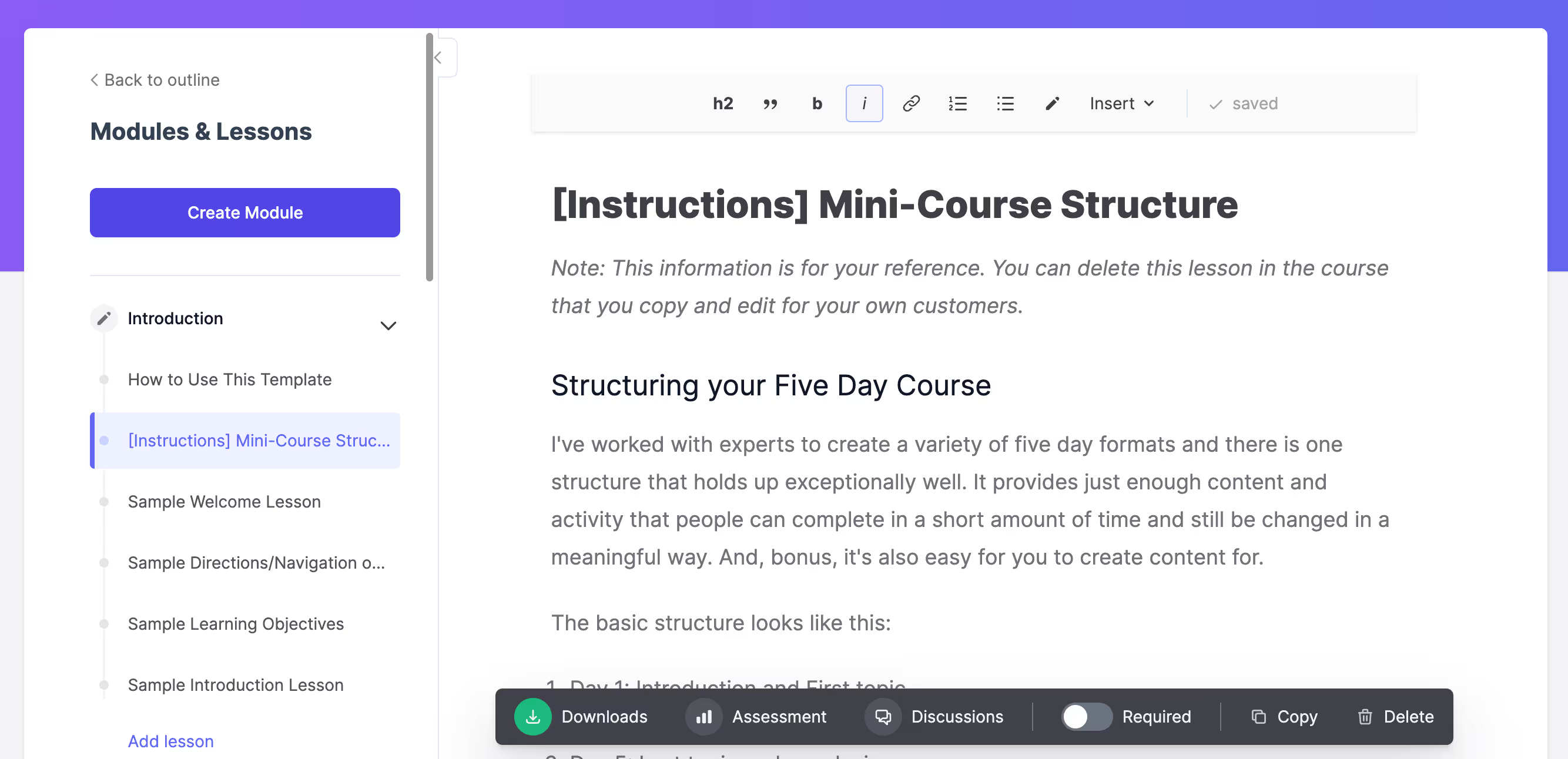
Drag-and-Drop Course Creator
Build your course visually with a simple, intuitive editor. Add lessons, activities, and content blocks exactly where you want them — no coding, no templates to wrestle with.
Live (Scheduled) Courses
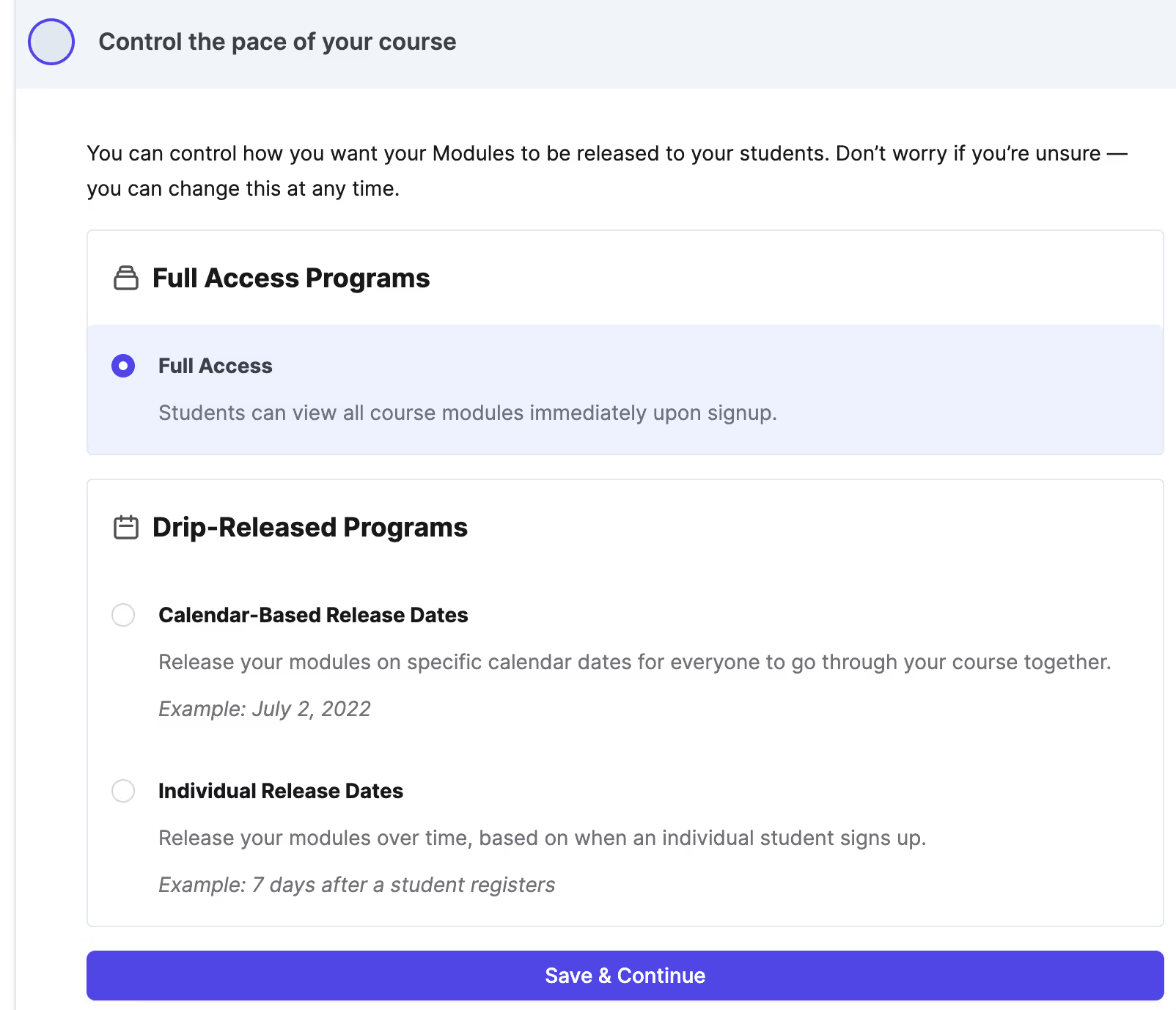
Calendar-based courses with automatic email notifications that keep everyone on track. Perfect for cohort programs and group coaching.
On-Demand (Evergreen) Courses
Self-paced courses with drip content that unlocks on a schedule you set. Build once, sell forever.
Open Access (Self-Directed) Courses
Students explore freely at their own pace, on their own timeline. Great for resource libraries and reference materials.
Drip Content Scheduling
Release content on a schedule that matches your teaching approach. Daily, weekly, or based on enrollment date — you choose the pace.
Done-For-You Course Templates
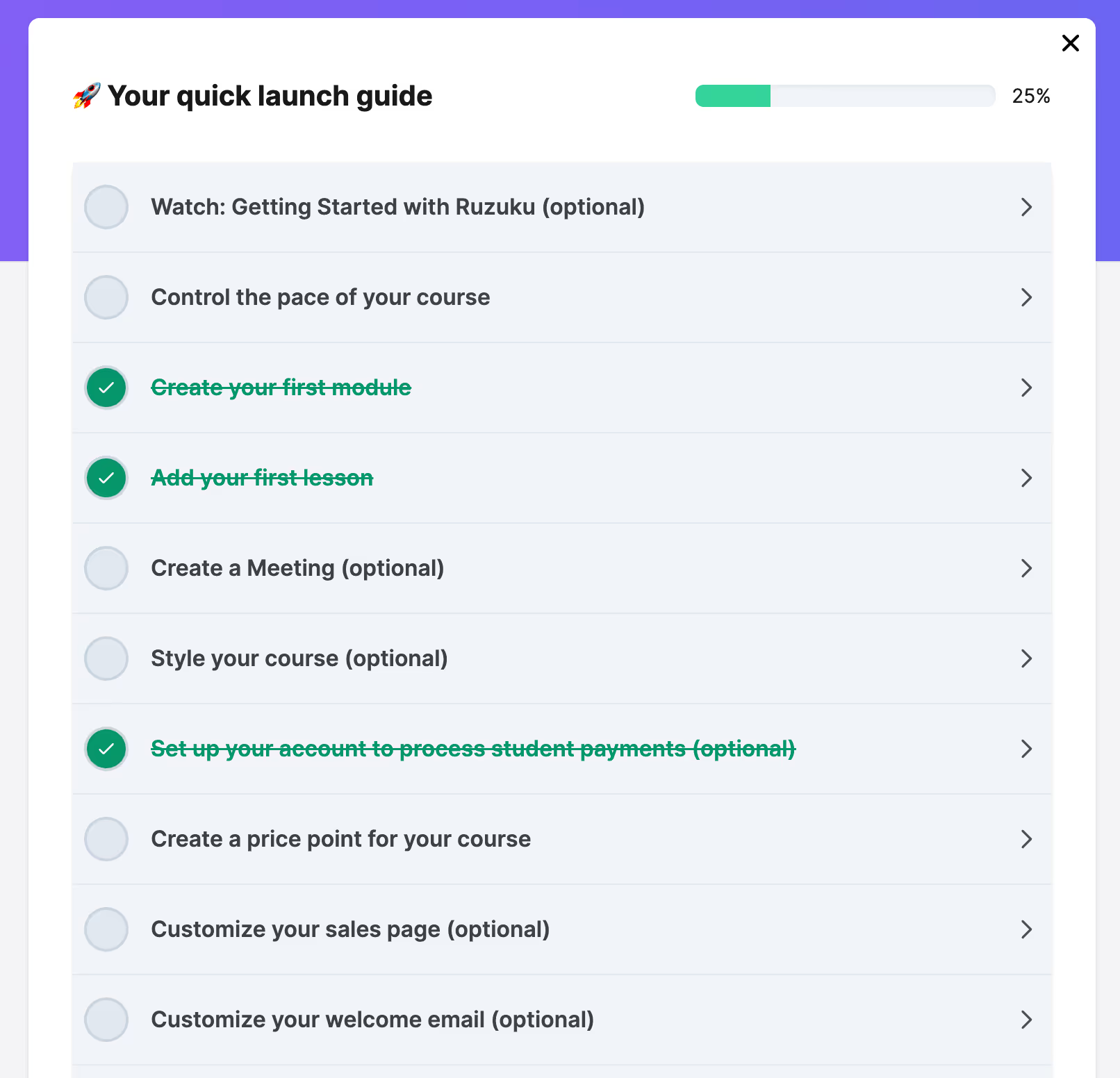
Don't want to start from scratch? Use our proven templates to get a professional course structure up and running in minutes.
Copy a Previous Course and Run It Again
Finished a cohort? Duplicate the entire course — content, structure, settings and all — and launch a new round without rebuilding anything.
Course Label CustomizationPro
Customize the terminology throughout your course to match your brand. Call them "modules" instead of "lessons," "workshops" instead of "activities" — whatever fits your teaching style.
“I was able to create and launch a new course in less than an hour! It is SO easy to use, and the ability to make a copy of an existing course saves a ton of time!”

Content & Media
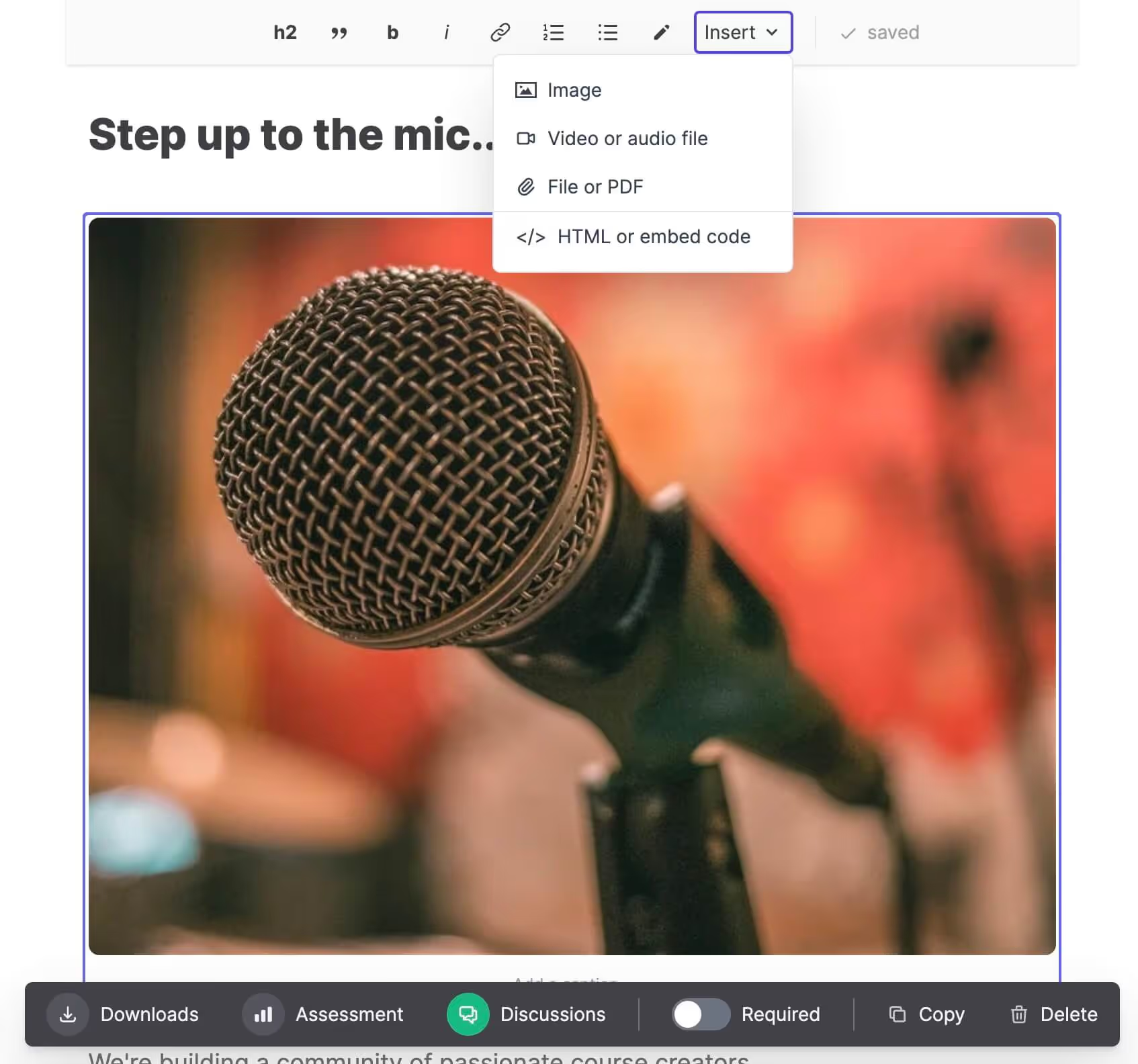
Your course content deserves to look and feel professional. Host your videos, audio, documents, and downloads directly on Ruzuku — no third-party accounts, no embed codes, no extra fees.
Built-In Video Hosting & Streaming
Upload your course videos and stream them beautifully to students worldwide. No YouTube. No Vimeo. No extra subscriptions. Just upload and teach.
Audio Hosting & Playback
Perfect for guided meditations, podcast-style lessons, or audio feedback. Upload MP3s and your students can listen right inside the course.
Inline PDF & Document Display
Upload slides, worksheets, and reading materials. PDFs display inline directly in the lesson, while Word and PowerPoint files are available for instant download.
Host Any File for Download
Spreadsheets, templates, resource kits, design files — if your students need it, you can host it. Upload just about any file type and make it available for download.
Global Content Delivery Network (CDN)
Your content is served from locations around the world, so whether your students are in Toronto, Tokyo, or Timbuktu, everything loads fast.
Video Hosting up to 4GB per VideoPro
Need to upload longer workshops or larger source files? Pro gives you up to 4GB per video (compared to 2GB on Core), so you never have to compress your best content.
4K Video StreamingPro
Upload high-resolution footage and Pro transcodes it up to 4K (2160p), then streams whichever version fits each student's screen and connection. Worth it for art demos, design walkthroughs, and anything where fine detail carries the lesson. (Core and Free stream in up to 1080p HD.)
AI Video TranscriptionPro
Every video you upload is automatically transcribed using a high-quality AI model. No manual transcription. No third-party services. It just happens.
Auto-Generated Closed CaptionsPro
Make your courses accessible to everyone. Captions are generated automatically from your video transcripts — ready for students who are deaf, hard of hearing, or just prefer to read along.
Full Searchable TranscriptsPro
Students get complete, searchable transcripts for every video and Zoom recording. They can read along, reference key points later, or find that one thing you said at minute 37.
Course-Wide Full-Text SearchPro
Your students can search across every video transcript in the entire course and find exactly what they're looking for — instantly. This helps students find a specific explanation in programs with dozens of videos.
“Ruzuku is soooo visual, with large images and oodles of space below each image for students to comment and exchange ideas. It's an ideal place to learn from each other and interact and, most surprising, to build community.”

Community & Discussion
The best online courses don't just deliver content — they build community. Ruzuku gives your students a space to connect, ask questions, and support each other, right inside the course.
Discussion Questions & Prompts
Attach specific discussion prompts to any activity or piece of content. Guide the conversation, spark reflection, and deepen engagement at exactly the right moment in the learning journey.
Rich Student Responses
Students aren't limited to text. They can post images, PDFs, and videos in their discussion responses — perfect for sharing work-in-progress, portfolios, or creative projects.
General Course-Wide Q&A Forum
A dedicated space for open questions, peer-to-peer support, and community conversation that lives alongside your course content.
Private Direct Messaging
Students can message you (and each other) directly. Great for sensitive questions, personalized guidance, or quick check-ins that don't need to be public.
Student Social Profiles
Every student gets a profile with their bio, photo, and background. It turns your course from a solo experience into a community where people get to know each other.
Email Announcements
Send email announcements to everyone in your course with one click. Share updates, celebrate wins, or nudge students who've fallen behind.
Email Notifications on Student Posts
Never miss a question. Get notified by email whenever a student posts, so you can respond quickly and keep the conversation flowing.
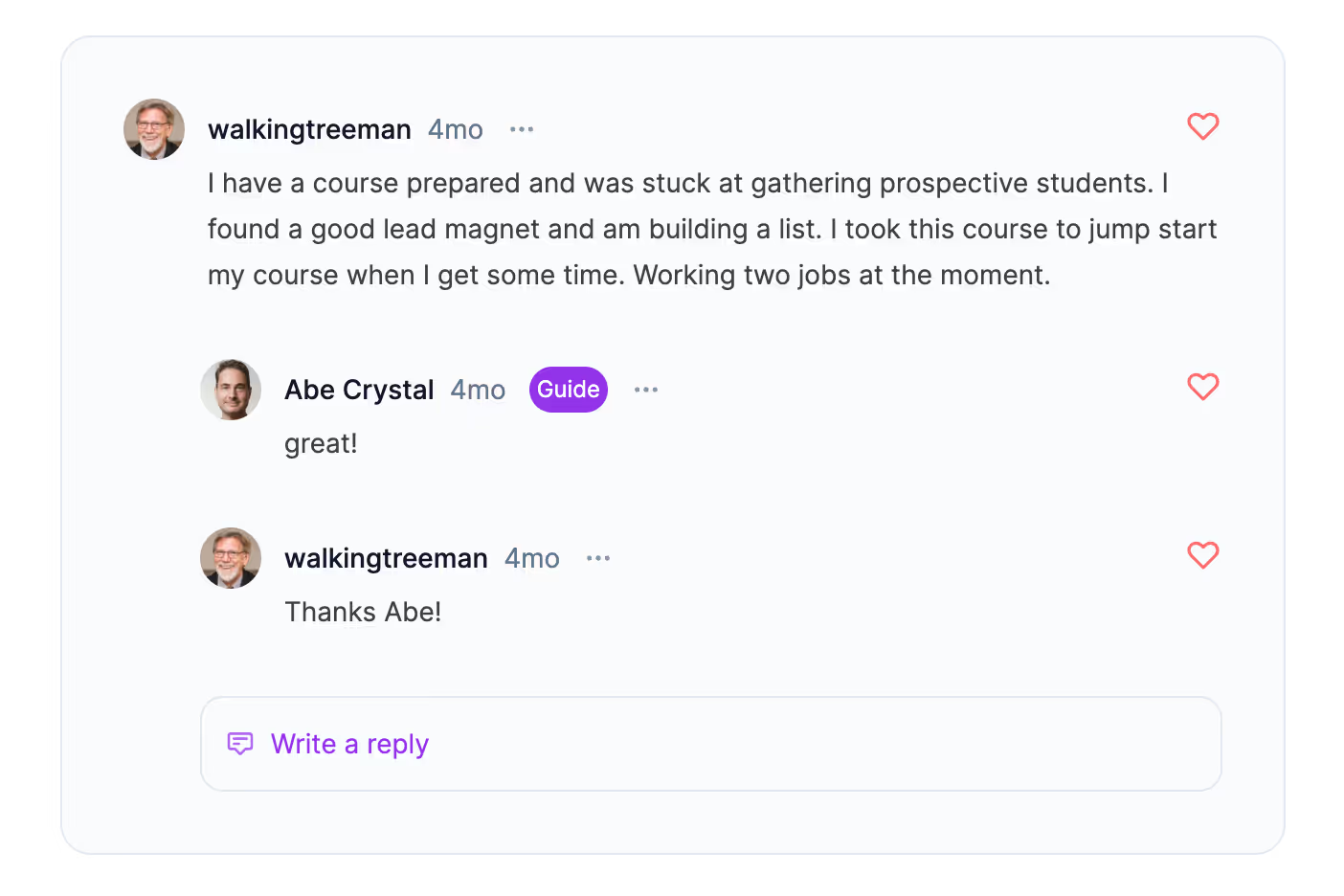
“I love this platform, especially the online community where you can interact with other students and the course teacher.”

Assignments & Feedback
This is where learning happens. Ruzuku's assignment system lets you give students hands-on practice, review their work, and provide personalized feedback — all without leaving the course.
Private Student Assignments
Students submit their work privately — only you (the instructor) can see it. This creates a safe space for practice, reflection, and honest self-assessment without the pressure of peer visibility.
Approve, Deny & Provide Feedback
Review every submission and respond with approval, a request to revise, or detailed feedback. The entire conversation happens right inside the course — no email threads, no separate tools.
Text & File Upload Submissions
Students can write their responses directly or upload files — documents, images, audio, video. Whatever format matches the assignment, Ruzuku handles it.
Video Feedback from Instructor
Sometimes written feedback isn't enough. Record a quick video response to give students the personal, nuanced guidance they need. It's like office hours, but asynchronous.
Progress-Gated Assignments
Require students to complete an assignment before they can move forward. This ensures they're actually doing the work — not just skipping ahead to the next video.
“The system has saved me SO much time and helped improve client learning. I'm receiving positive feedback about the course I've developed on your platform!”

Live Sessions & Webinars
Run live sessions with built-in video meetings (no Zoom account needed, breakout rooms included) or a Zoom integration if you prefer Zoom or need a larger group. Recordings become permanent course content either way.
Built-in Video Meetings
Browser-based video meetings included on every plan — students click and join, no Zoom account or app required. Video conference mode supports up to 60 participants with audio and video; presentation mode supports up to 250. Screen sharing, multi-user whiteboard, polls, and threaded chat all included.
Zoom Integration (Optional)
Prefer Zoom or need a larger group? Connect your Zoom account once and Ruzuku creates Zoom meetings from inside your course schedule. Students join with one click — no separate invitations, no confusion.
Automatic Recording & Replay
Built-in meeting recordings download from the platform; Zoom-integrated recordings can be uploaded automatically when your Zoom session ends. Students who missed the session watch the replay alongside the lesson materials, in context.
Calendar Integration
Scheduled sessions appear on your course calendar with automatic email reminders in each student's local timezone, so students always know when to show up.
Zoom Recording Transcription & IndexingPro
Every Zoom recording is automatically transcribed and indexed, so students can search through your live sessions just like they search your pre-recorded content.
“I'm having a great experience with Ruzuku. I needed a place to expand the business, to be able to charge what the class was worth, and to be able to have an auto-delivery system that works for me.”

Payments & Pricing
Get paid for your work — simply, reliably, and without giving up a cut to your platform. Ruzuku connects directly to your payment processor, and Ruzuku charges zero transaction fees.
Stripe & PayPal Integration
Accept credit cards, debit cards, and PayPal payments with the two most trusted payment processors in the world. Setup takes minutes.
Bring Your Own Payment System
Already have a payment system you love? Connect it to Ruzuku and keep using what works for you.
Zero Transaction Fees
Ruzuku never takes a percentage of your sales. Not 5%. Not 1%. Zero. Your payment processor's standard fees apply, but we don't add anything on top.
One-Time Payments
Sell your course for a single upfront price. Simple, clean, and predictable for both you and your students.
Subscription Pricing
Create recurring revenue with monthly or annual subscriptions. Perfect for membership sites, ongoing programs, or content libraries.
Payment Plans
Make your course accessible with installment payments. Students pay over time, and you get paid automatically — Ruzuku handles the billing.
Coupons & Discount Codes
Run promotions, reward early birds, or give special pricing to specific groups. Create coupon codes with custom amounts, percentages, and expiration dates.
Free Courses & Free Trials
Not everything needs a price tag. Create completely free courses for lead magnets, onboarding, or community building — or offer free trials so students can experience your teaching before committing.
Multi-Currency Support
Sell to students around the world in their local currency. Ruzuku works with whatever currencies your payment processor supports.
Course Bundles
Package multiple courses together and sell them as a bundle. Great for comprehensive programs, certification tracks, or giving students access to your full library.
“I have made 5 figures using this platform in just a couple of months. I have tried several platforms and this is by far the best.”

Student Experience & Progress
Ruzuku gives students a clean, focused learning environment with built-in tools to track their progress and stay motivated.
Clean, Distraction-Free Learning Interface
No sidebars full of ads. No confusing navigation. Just your content, your community, and a clear path forward. Students focus on learning, not figuring out the platform.
Mobile-Responsive Design
Your course looks great on phones, tablets, and desktops. Students learn wherever they are — commuting, on the couch, or at their desk.
Activity Completion Tracking
Students mark each activity as "complete" and see their progress at a glance. It's a simple feature that makes a big difference — people are motivated by visible progress.
Course Health Dashboard
See how your entire course is performing at a glance. Track student activity completion rates, comment engagement, and participation — for the whole course or broken down by individual lesson. Spot students who are falling behind before they disappear.
Access Controls
Fine-tune who can access what. Set progress requirements (complete Module 1 before unlocking Module 2), time-based access limits, free trial windows, and price-point-based access. You're in control of the student journey.
Invite or Remove Participants
Add students manually, send invitation links, or remove participants when needed. You decide who's in your course.
Student Import & Management
Migrating from another platform? Import your student list and get everyone set up without starting from scratch.
Custom Registration Form FieldsPro
Collect the information that matters to you during registration. Add custom questions — experience level, goals, industry, dietary restrictions for your retreat — whatever helps you serve your students better.
Auto-Generated Completion CertificatesPro
When a student finishes your course, they automatically receive a professional certificate of completion. Downloadable, shareable, and a meaningful milestone for students in certification or professional development programs.
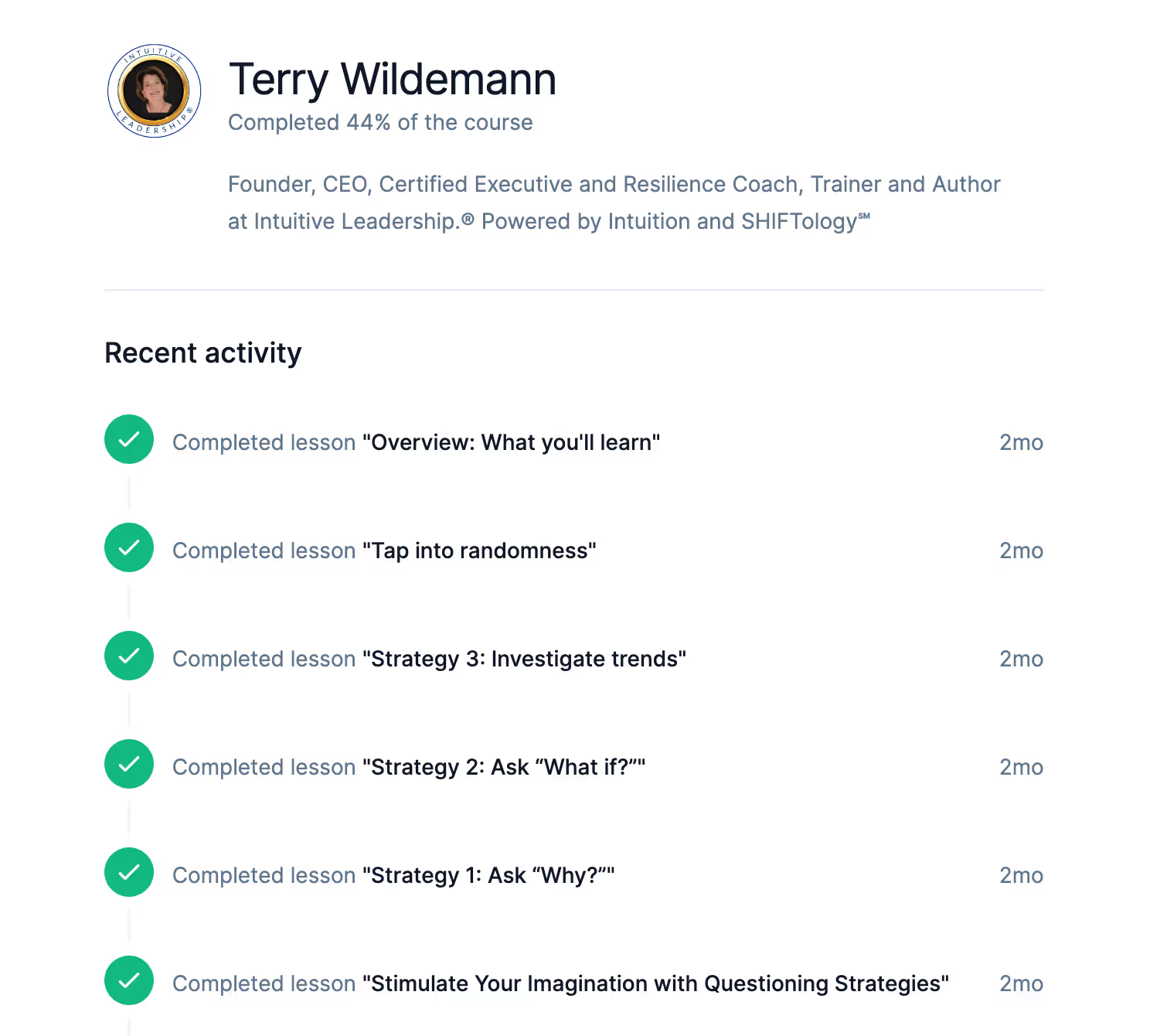
“I love how reliable it is — it all just works! I feel proud of being able to present my materials on a nice clean and tidy looking platform that looks professional and friendly.”

Sales & Marketing
Build your audience and sell your courses without needing a separate website, landing page builder, or marketing platform. Ruzuku gives you what you need to get your course in front of the right people.
Built-In Sales Pages
Every course gets a professional sales page you can customize — no external landing page tool required. Add your description, pricing, testimonials, and a signup button. Done.
Email Notifications & Drip Sequences
Automated emails keep your students engaged throughout the course. Welcome sequences, activity reminders, and scheduled drip content — all handled for you.
Zapier Integration (1,000+ Apps)
Connect Ruzuku to Mailchimp, ActiveCampaign, ConvertKit, Google Sheets, Slack, and 1,000+ other apps through Zapier. Automate your marketing workflows without writing a line of code.
Custom DomainPro
Teach on your own domain — courses.yourbrand.com instead of a Ruzuku subdomain. It's your brand, your URL, your professional presence.
White-Label WebsitePro
Remove all Ruzuku branding and present a fully branded experience to your students. They see your brand, your colors, your logo — and nothing else.
Custom Branding & Login ScreensPro
Create a fully branded experience from the very first touchpoint. Custom login screens, branded course interfaces, and a cohesive look that matches your business.
Public Marketing StorefrontPro
Showcase all your courses on a beautiful, browsable storefront page. Students can explore your offerings, read descriptions, and sign up — all from one professional page.
Analytics IntegrationPro
Track visitor behavior and optimize your marketing with Meta Pixel and Google Analytics integration. See where your students come from and what converts them.
“Ruzuku allowed me to PAY MYSELF to learn how to create an online class, launch it, practice teaching it, and perfect it. I can already see how Ruzuku is going to transform everything I do.”
Administration & Support
Running an online course business shouldn't mean becoming an IT department. Ruzuku handles the infrastructure so you can focus on teaching — and when you need help, real humans are here for you.
Unlimited Courses
Create as many courses as you want on every plan — free, Core, and Pro. No artificial limits on your growth.
Unlimited Students
Enroll as many students as your courses attract on Core and Pro. We never charge per student. The free plan is capped at 5 enrolled students.
Daily Backups
Your course content and student data are backed up every day. Sleep well knowing your work is safe.
99.9% Uptime
Your courses are available to students when they need them. We maintain enterprise-grade reliability so you never have to worry about downtime during a launch or a live session.
Support for You — Real Humans, Not Chatbots
Get help from actual people who know the platform inside and out. Reach us via email, our Facebook community group, our knowledge base, training courses, and video tutorials. No chatbot runarounds — just clear, helpful answers.
Support for Your Students, Too
Your students get their own support resources for registration, payment, and course access questions. When they run into a technical issue, they don't have to come to you first — we've got them covered.
Co-Teaching & Multiple FacilitatorsPro
Invite co-teachers and collaborators into any course. They can add content, interact with students, and help manage the learning experience alongside you.
Multiple Instructor & Admin AccountsPro
Run a multi-instructor operation with separate accounts for each team member. Assign roles, manage permissions, and scale your course business beyond a solo operation.
Check our real-time status at status.ruzuku.com
“I would like to take this opportunity to thank you for providing the most amazing customer service and free, useful content out there. You guys are THE BEST. So happy I chose you over the other teaching platforms.”

What Ruzuku actually does
50 capabilities, verified against the product
32
Native, built in
5
Partial — see notes
3
Via integration
10
Not supported
Every cell traces to a specific code path or KB article. We update this when the product changes — last verified Apr 24, 2026.
Course delivery8 capabilities
- Yes
Cohort-based course scheduling
Native cohort delivery via the scheduled access format. Lessons gate on enrollment date and absolute dates; can be scheduled individually or as groups.
- Yes
Live sessions (video conferencing)
Native live sessions via three implementations: BigBlueButton videoconference meetings, LiveKit-powered presentations, and Zoom integration. Recordings auto-stored.
- Yes
Self-paced / on-demand delivery
Native self-paced delivery via the openaccess format. All lessons are immediately available upon enrollment, independent of time.
- Yes
Drip content scheduling
Drip-feed scheduling via the ondemand access format. Lessons release on a schedule relative to each student's enrollment date or on absolute dates.
- Partial
Group coaching program delivery
Group coaching is supported via the combination of live sessions, scheduled cohorts, and built-in discussions — but there's no dedicated 'group coaching workflow' template.
- Partial
1-on-1 coaching workflow
No dedicated 1-on-1 coaching workflow — no native booking calendar or session-notes UI. You can run 1-on-1 sessions through the built-in live meetings, with scheduling handled by your own calendar tool or Zapier.
- Yes
Live workshop series
Live sessions (videoconference, presentation, Zoom) support live workshops. Multiple sessions schedulable sequentially or as a series. Recordings auto-stored.
- Yes
Cohort + community pairing (completion-lever pattern)
Cohort + community is native: scheduled cohorts plus built-in discussions at course or module level. Communities form naturally as cohorts progress together.
Course content6 capabilities
- Yes
Native video hosting
Native video hosting with automatic server-side transcoding. Poster images auto-generated. HTML5 player playback.
- Yes
Native audio / podcast hosting
Native audio hosting (MP3, WAV) with transcoding. HTML5 audio player. Audio organized into lessons and modules.
- Yes
Quizzes and assessments
Native quizzes with single- or multiple-answer choice questions, points per question, answer feedback, retakes, and minimum passing score. Open-ended answers use separate assignment activities; quizzes have no timer.
- Yes
Course completion certificates
The Pro plan generates downloadable PDF completion certificates upon course completion, customizable per course with branding, course name, and completion date. Not available on Free or Core — restricted to Pro plan subscriptions.
- Yes
Assignments / homework submission
Assignment creation with file upload submission and instructor feedback. Multiple question types, text input, file uploads. Marked complete/incomplete by instructor.
- Yes
PDF / downloadable resources
Instructors upload files (PDFs, documents, images) to lessons. Students download directly. Supported across all course types.
Community3 capabilities
- Yes
Built-in community discussions
Native discussion/forum system at course and module level, plus a discussion attached to each lesson. Members post, reply in threads, like comments. Instructors pin and moderate. Email notifications available.
- Yes
Direct messaging between members
Direct messaging between course members. Private messages stored and retrievable in message history.
- No
Real-time group chat during live sessions
No native real-time chat layer in live sessions. BigBlueButton and Zoom have their own native chat that students use during meetings; Ruzuku does not overlay or extend these.
Pricing and payments10 capabilities
- Yes
One-time course payments
Native one-time payments via price points (payment_type='paid'). Stripe and PayPal integration. Configured via course pricing UI.
- Yes
Recurring subscription billing
Native recurring subscription billing (payment_type='subscription'). Stripe and PayPal. Auto-renewal, student-initiated cancellation.
- Yes
Multi-pay / installment plans
Multi-payment installment plans via price points (payment_type='paymentplan' with num_payments). Platform handles retry logic.
- Yes
Lifetime pricing
Lifetime pricing is a native, self-serve price option — set a one-time price flagged as lifetime (no expiration) right in the price editor. Common for certifications and graduate access.
- Yes
Free trial for students
Subscription price points support free trials for a set number of days. Payment cards are collected at signup and Stripe charges automatically when the trial period ends.
- Yes
Coupons and discount codes
Native coupon codes with fixed-amount or percentage-off discounts. Max redemptions, expiration dates, duration (once/repeating). Integrated with payment processing.
- No
Affiliate program
No built-in affiliate program. Some creators give each affiliate their own coupon code to see which sales they referred, then calculate and pay commissions themselves.
- Partial
Order bumps and one-click upsells
Checkout upsells supported during Stripe checkout (each price point can offer one add-on offer before payment). No post-purchase one-click upsells.
- No
Transaction fees on creator sales
Ruzuku charges zero transaction fees on every paid plan — only standard Stripe or PayPal payment processor fees apply. This 'no' is the answer creators want: you keep the full sale revenue minus only the payment processor's fee.
- Yes
International currency processing
Stripe-backed multi-currency support — creators can charge students in USD, EUR, GBP, CAD, AUD, and most major currencies. PayPal also supports the major currencies. Currency is configured per price point.
Integrations5 capabilities
- Via integration
Email marketing integrations (Mailchimp/ConvertKit/ActiveCampaign)
Email service integrations via Zapier — triggers fire on enrollment, course completion, and other events to send subscribers into Mailchimp, ConvertKit, ActiveCampaign, and others. No direct native integrations.
- Yes
Zapier / automation platforms
Full native Zapier integration. Triggers (new enrollment, course completion, etc.) and actions (create user, enroll student, etc.). 19 files of integration code.
- Via integration
CRM integrations
No native CRM integrations. Connections to HubSpot, Salesforce, Pipedrive supported via Zapier.
- Via integration
Webhooks for custom integrations
Connects to external tools via Zapier integration (7 triggers). Ruzuku does not offer a public REST API or user-configured direct webhooks.
- Yes
Analytics integrations (GA, Meta Pixel)
Embed Google Analytics (GA4) and Meta Pixel via simple code input in account settings. Code is injected into course pages.
Mobile experience2 capabilities
- No
Native mobile app for students
No native iOS or Android app for students. Course access is via mobile web (responsive layout plus PWA install-to-home-screen support).
- Yes
Mobile-optimized web experience
Fully responsive and mobile-optimized. Students access courses, watch videos, submit assignments, and post in discussions on mobile browsers. PWA add-to-home-screen support — no app installation required.
AI features4 capabilities
- No
AI-generated course content
No AI generation of course content (lessons, slides, outlines). Instructors create content manually or use external AI tools and import the results.
- Yes
AI video transcription
Automatic AI transcription of uploaded videos. Transcriptions render as captions and subtitles in the course video player.
- Yes
AI-generated closed captions
AI-generated captions for uploaded videos. Captions render in the video player and can be toggled by viewers.
- No
AI quiz question generator
No AI quiz or assessment generation. Instructors write their own quiz questions, or draft them with an external AI tool and add them manually.
Admin and branding6 capabilities
- Yes
Tech support for your students
Ruzuku's support team answers your students' technical questions directly, such as logging in or reaching a lesson, on every plan including Free.
- Yes
White-label branding
The Pro plan fully white-labels your courses — your domain, colors, and logo, with all Ruzuku branding removed (no 'Powered by Ruzuku' visible to students). Free and Core plans show a small 'Powered by Ruzuku' footer.
- Yes
Custom domain support
Custom domains (e.g., courses.mycompany.com) configurable per tenant. Requires Pro plan.
- Yes
Multiple instructors / co-teachers
Multiple instructors (co-teachers/facilitators) per course. Facilitators manage course content, students, meetings, and discussions. Role-based access control.
- Yes
Visual branding customization
Customizable colors (primary action, accent, nav, header), fonts (content and layout), logo, favicon, and course banner via the visual theme editor.
- Yes
Bulk student enrollment / CSV import
Bulk enrollment is built in — invite or enroll many students at once by pasting a list of emails (up to 1,000 per batch). New guides have a daily invitation cap to prevent spam. Student data also exports to CSV.
Compliance and accessibility4 capabilities
- No
SCORM / xAPI support
No SCORM or xAPI support.
- Partial
ADA accessibility features
Responsive layout with semantic HTML structure (headings, alt text, keyboard navigation). No formal WCAG 2.1 AA certification; some accessibility audits may reveal gaps.
- Partial
GDPR-compliant data export
Account deletion removes your data, and student and account data export to CSV. There isn't a one-click GDPR Article 15 export — specific data-subject requests are handled case by case.
- No
Single sign-on (SSO)
No native SSO (SAML, OpenID Connect). Login is email/password or Google OAuth.
Migration2 capabilities
- No
Import tools (content / students / courses)
No built-in import tools for course content or students. Migration is manual or via custom API integration.
- No
White-glove migration assistance
No formal white-glove migration service. Support offers limited case-by-case help for paying customers.
Unlock More with Ruzuku Pro
Everything in the free plan, plus white-label branding, multiple instructors, certificates, a built-in storefront, and digital product sales.
Nothing here is about complexity or bloat. It's about removing friction — for you and your students — so you can focus on what matters: teaching well.
Branding & Customization
Your Brand Throughout the Entire Experience.
White-Label Website
Remove all Ruzuku branding and display only yours — a unified, professional look.
Custom Domain
Use your own domain name so students never see a third-party URL.
Brand Colors & Logo
Match your school's look to your existing brand identity.
Custom Login Screens
A fully branded login experience that inspires confidence from the first click.
Team & Credentials
Grow Beyond a Solo Operation.
Multiple Instructors
Add co-teachers and guest experts to any course — great for scaling, co-teaching, or managing multiple topic areas.
Team Management
Assign roles and permissions so your team can help without full admin access.
Completion Certificates
Automatically issue branded certificates when students complete a course — as rewards or records of accomplishment.
Advanced Analytics
Track student progress, engagement, and completion rates across all courses.
Storefront & Digital Products
Sell More, Your Way.
Public Marketing Storefront
A salespage of salespages — showcase all your courses and products in one place. Easy to update without editing your website.
Digital Product Sales
Sell standalone downloads — guided meditations, workout recordings, PDF workbooks, audio files, and more.
Bundle with Courses
Include digital products as bonus material with your course offerings.
Marketing & Growth
Built In, Not Bolted On.
Coupons & Promotions
Create discount codes and special offers to drive enrollment.
Partner Coupon Codes
Give each partner their own code. Every sale shows the code used, and Zapier can pass it to your affiliate tool.
More Power Where It Counts
4 GB Video Uploads
Upload longer, higher-quality videos without worrying about file size limits.

"Ruzuku is the most user-friendly platform I've ever used. The support is incredible — they actually care about helping you succeed."
Manuel Puro
Puro Casting
When Pro Makes Sense
- Want your own branded learning experience on your domain
- Collaborating with other instructors or a team
- Need professional certificates for students
- Want a storefront to showcase all your courses
- Selling digital products alongside your courses
Ready to See It for Yourself?
The best way to understand what Ruzuku can do is to experience it. Create your free account, build your first course, and see why thousands of creators choose Ruzuku to teach what they love.
"Ruzuku has made my life so much easier and has helped me to help more women. I love the look and feel of my course — you all did a great job!"
Spiritual Teacher
No credit card required · 0% transaction fees · Cancel anytime