Why This Matters
Most course platforms give you a page builder and call it done. You end up spending more time fighting the tool than teaching. What you actually need is a structured course builder that guides your students step by step — with multimedia content, exercises they submit for feedback, and progress tracking that shows you who's engaged and who needs help.
What You Get
Everything included in Ruzuku's course builder
Step-by-Step Lesson Builder
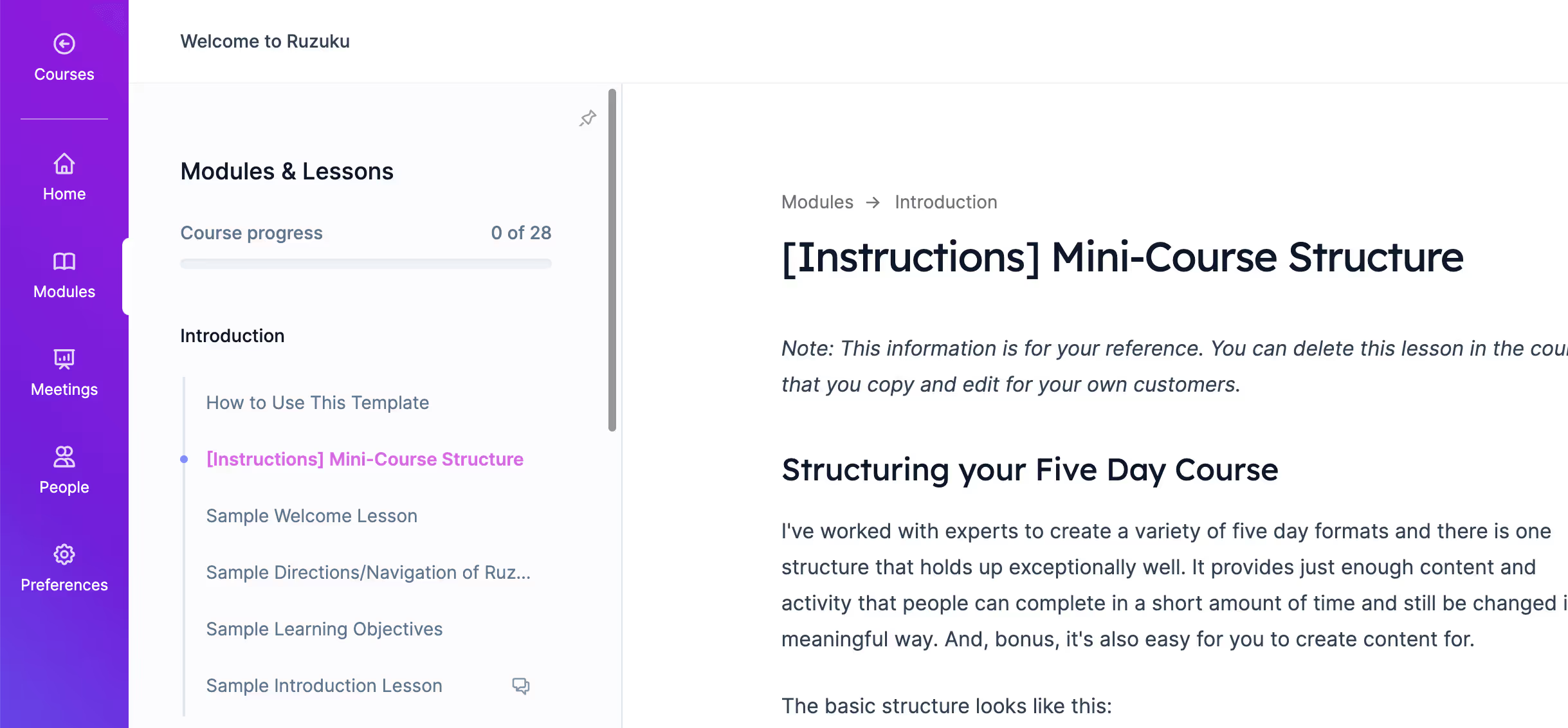
Organize your course into modules and lessons with a clear progression. Each lesson combines text, video, images, audio, and downloadable resources — no plugins or third-party hosting needed.
Built-In Video & Audio Hosting
Upload videos and audio files directly. No YouTube embeds, no Vimeo subscriptions, no external hosting fees. We transcode and stream each video at the right quality for every student's screen and connection — up to 1080p HD, or up to 4K on Pro. Your content lives on your course platform, not someone else's.
Student Exercises & Submissions
Add exercises where students submit written responses, files, or recordings. You review and give feedback directly in the platform. This is what turns passive watching into active learning.
Progress Tracking & Completion
See exactly where each student is in your course. Track lesson completion, exercise submissions, and overall progress. Students see their own progress too — which keeps them moving forward.
Flexible Course Pacing
Run self-paced courses, scheduled cohorts with drip content, or anything in between. Set lessons to unlock on specific dates or let students work at their own speed.
Get Started in 5 Simple Steps
Outline your course structure
Create modules and lessons in the visual course builder. Drag to reorder. Start with your transformation promise and work backwards.
Add your content
Write lesson text, upload videos and audio, add images and downloadable resources. Mix media types within a single lesson for variety.
Create student exercises
Add exercises where students practice what they've learned. Text responses, file uploads, or audio recordings — whatever fits your teaching style.
Set your pace and schedule
Choose self-paced access or scheduled drip release. Set your start date, enrollment window, and completion timeline.
Launch and teach
Publish your course, invite students, and start teaching. Track progress, give feedback on exercises, and engage through the built-in community.
The Ruzuku Difference
Zero Transaction Fees
Keep what you earn. No percentage taken from your course sales — just standard Stripe processing fees.
Unlimited Courses, Every Plan
No artificial limits on courses, students, or content. Build as many courses as you want without upgrading.
Built-In Video Hosting
Upload directly — no Vimeo or Wistia subscription required. Your videos are hosted and delivered as part of your plan.
Real Human Support
Questions answered by people who actually use the platform. Not chatbots, not outsourced — our team.
“I was so frustrated with platforms that made me feel like I needed to be a web developer. Ruzuku just lets me focus on what I actually care about — teaching.”
Laurie Anderson
Art educator, 2,000+ students
Frequently Asked Questions
Do I need technical skills to build a course on Ruzuku?
No. If you can write an email and upload a file, you can build a course. The lesson editor works like a document — type text, add media, create exercises. No coding, no page builders, no design decisions required.
Can I host my own videos on Ruzuku?
Yes. Upload videos directly to your course — no external hosting service needed. Your videos are stored securely and streamed to students without ads or distractions, with adaptive quality up to 1080p HD (or up to 4K on Pro).
How is Ruzuku different from Teachable or Kajabi?
Ruzuku is designed for teaching, not just content delivery. Built-in exercises with instructor feedback, community discussions per lesson, and progress tracking are core features — not add-ons. Plus: zero transaction fees and unlimited courses on every plan.
Can I run both self-paced and live cohort courses?
Yes. Set lessons to be always available (self-paced) or drip on a schedule (cohort). Many creators run both formats simultaneously — a self-paced version for on-demand access and live cohorts with group sessions.
What happens to my content if I leave Ruzuku?
Your content is always yours. While Ruzuku does not have an automated full-course export button, you can download all student, payment, progress, and assessment data as CSV files at any time, and keep your original copies of lesson videos and text without platform lock-in.
Related Resources
Design Your Course Backwards: Understanding by Design for Online Courses (2026)
24 min read
9 Steps to Creating a Successful Online Course: The 2026 Blueprint
24 min read
Laurie Anderson's Story
CEO & Owner
Janae Bower's Story
Founder & Instructor
Cohort-Based Courses
Guide groups through structured learning experiences together
Membership Sites
Build recurring revenue with an evergreen content library